Why Does Your Rippling Integration Keep Breaking?
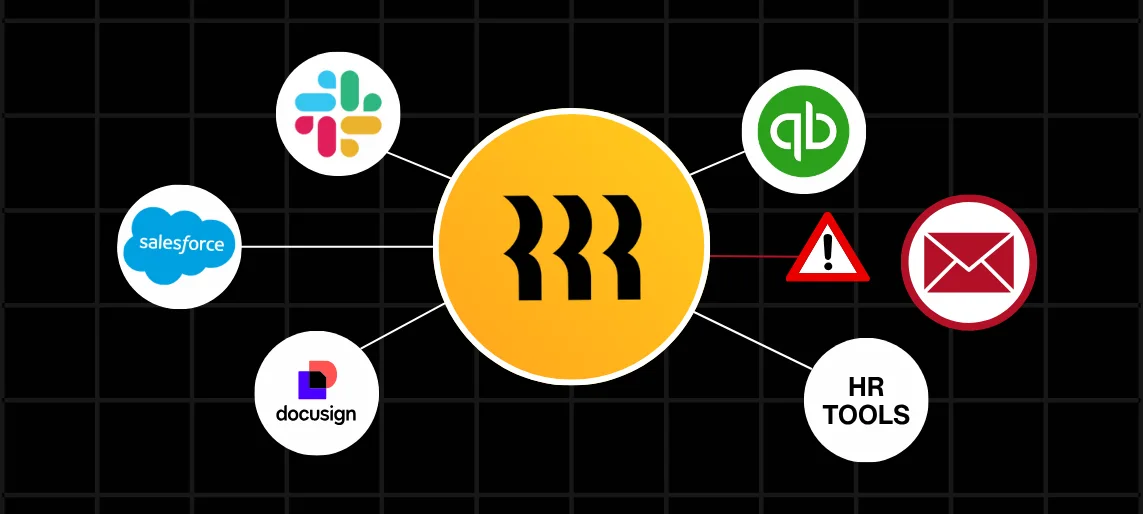
You did everything right. You set up the integration, tested it, got the green light, and moved on. Then two weeks later, someone from HR is in your inbox asking why a new hire still doesn’t have access to half their tools. Or worse, you find out a former employee’s accounts were never offboarded.
The integration didn’t fail because Rippling is broken. It failed because of something small, quiet, and almost universally overlooked: ID mapping. And once you understand it, you’ll never set up an integration the same way again.
What Rippling Integrates With
Rippling connects with hundreds of third-party applications across HR, finance, IT, and operations. Slack, Salesforce, QuickBooks, Greenhouse, Lattice, the list goes on. The platform is built around one central idea: your employee data lives in one place, and everything else pulls from it.
When someone gets hired, their information flows out to every connected system automatically. When they leave, access gets revoked across the board. It’s a genuinely powerful model. When it works, it saves your team hours every single week.
The catch is that every connected system has its own way of identifying records. And when those identifiers don’t line up the way Rippling expects, the whole chain breaks.
These breakdowns often surface later as payroll errors or missing data. Here’s how those issues show up: How to Prevent Payroll Sync Failures in Rippling.
The ID Mapping Problem Nobody Talks About
ID mapping is how Rippling matches an employee record to the corresponding record in a connected application. It sounds simple. It is simple, until it isn’t.
Here’s a scenario that plays out more often than it should. Your project management tool identifies users by email address. Rippling identifies employees by an internal ID. Something in the middle has to translate between the two. Set that up correctly, and data flows without a hitch. Set it up wrong, and you get duplicate records, failed syncs, and employees who exist in one system but not the other.
Now add a name change, a new email address, or a promotion into a different department. Rippling updates cleanly. But if the connected system anchored its records to the old value, it has no way to match the incoming update to the right person. So it either creates a new record or rejects the sync entirely. Neither is a good outcome.
The fix is straightforward: anchor your ID mapping to Rippling’s internal employee ID, not to email, not to display name, not to any field that changes when life does. That one decision eliminates the majority of recurring sync failures.
This becomes even more important when systems need to stay aligned continuously. Here’s how two-way integration supports that: What Is Rippling Two-Way Integration?
Authentication, Verification, and Where Things Go Wrong
Rippling uses SAML 2.0 and SCIM for authentication and user provisioning. For multi-factor authentication, it supports Google Authenticator, Authy, and its own built-in MFA tool. When SSO is configured correctly, employees get seamless access to every connected app through a single login, and IT gets full control over who has access to what.
The place where this breaks down is almost always at the provisioning layer. SCIM is what handles the automatic creation and deactivation of user accounts in connected apps. New hire joins, SCIM pushes the record out. Employee exits, SCIM triggers deprovisioning. Clean, automatic, hands-off.
Except when SCIM isn’t configured correctly, or when a connected app doesn’t fully support the attributes Rippling is sending. Then you end up with accounts that don’t get created on time, or accounts that never get deactivated. One is an operational headache. The other is a security problem.
Rippling also supports employment verification through The Work Number, powered by Equifax. Lenders, background check providers, and landlords can verify employment and income for your employees without HR lifting a finger. It’s a great feature, but it only works when your employee records are accurate and current. Which, again, comes back to ID mapping.
DocuSign, Employment Verification, and the Sync Issues They Cause
Rippling does integrate with DocuSign, and it’s one of the more commonly used connections for onboarding. New hire paperwork gets sent, signed, and stored automatically as part of the onboarding sequence. No manual follow-up, no chasing signatures.
The sync issues that show up here usually come down to timing or field mapping. If DocuSign is triggered before Rippling has fully created the employee record, the integration may fail to associate the completed document with the right person. If signer identifiers in DocuSign aren’t mapped correctly to Rippling’s employee IDs, completed envelopes end up orphaned with no clear owner in the HR system.
Employment verification runs into a similar problem. When a request comes in through The Work Number, it pulls directly from Rippling. If that data is stale, incomplete, or attached to a duplicate record from a bad sync, the verification fails or returns the wrong information. For an employee trying to close on a home or finalize a lease, that turns into an urgent HR fire that didn’t need to exist.
How to Fix ID Mapping Mistakes Before They Break Everything
Start with an audit. Before you add a new integration or dig into an existing one that’s misbehaving, pull a list of how each connected application is currently identifying Rippling employees. Any integration using email address, display name, or another mutable field as its primary identifier is a risk waiting to surface.
Remap those connections to Rippling’s stable employee ID. Most modern integrations support this, and the change is usually quick once you know it needs to happen.
From there, set up monitoring for sync errors. Rippling logs integration activity, and a regular review catches problems before they compound. A sync failure caught the same day is a ten-minute fix. One that goes unnoticed for two weeks becomes a data cleanup project nobody has time for.
And when these issues affect labor data, they can directly impact job costing accuracy. See how that plays out: Real-Time Job Costing with Rippling.
And test your integrations when employee data changes, not just when they’re first set up. Promotions, name changes, department transfers — these are all moments where ID mapping issues like to reappear. A simple checklist around these events catches the edge cases that initial setup never anticipates.
The complexity increases even further in multi-entity environments where employees may exist across multiple systems. Here’s how to structure that: Handling Multi-Entity Architecture in Rippling.
Rippling is built to make workforce management simpler. The teams that get the most out of it are the ones who treat ID mapping as a foundational decision, not an afterthought.