5 Rippling Data Migration Mistakes That Cost Companies Thousands (And How to Avoid Them)
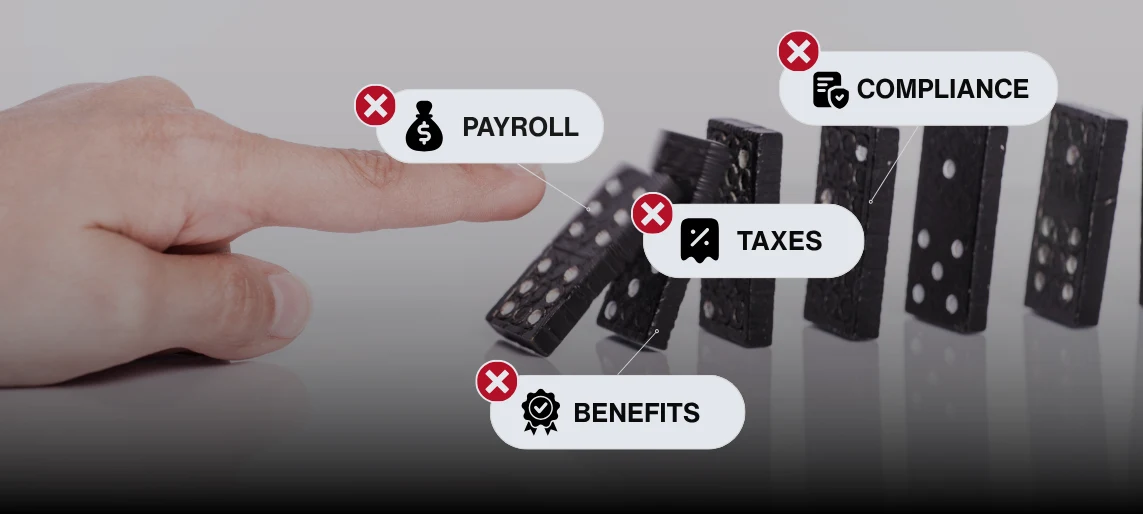
Rippling data migration can create costly problems when teams skip reconciliation, migrate messy records, ignore contractor data, test too narrowly, or go live at the wrong time. This guide breaks down five common mistakes and explains how to avoid payroll, compliance, and reporting issues before launch.
Your finance team just signed off on Rippling, and implementation starts next month. Everyone is excited about finally consolidating HR, payroll, and benefits into one system.
Then someone asks: "How are we handling data migration?"
Silence.
That's the moment most companies realize they've been focused on the destination without planning the journey. Rippling data migration involves transferring years of payroll history, tax configurations that vary by jurisdiction, benefits elections tied to carrier systems, contractor classifications with legal implications, and highly sensitive personal information protected by state and federal law. Each data type has its own validation rules, compliance requirements, and failure points.
One spreadsheet error can become a payroll mistake, affecting 200 employees. One missed field creates tax filing problems that surface months later. One security gap exposes Social Security numbers and banking details.
These five errors have cost companies tens of thousands in corrections, penalties, and lost productivity. Here's how to avoid every one of them.
Why Data Preparation Is the Real Migration Project
Employee data is personal, sensitive, regulated, and distributed across multiple systems. Getting it clean, complete, and aligned is not a quick task. It is a meticulous process that often takes longer than expected.
The payoff is significant: accurate payroll, benefits, compliance, and reporting from day one without painful cleanup, corrections, or employee trust issues after go-live.
Mistake #1: Skipping Year-to-Date Reconciliation
You migrate employee data thinking everything looks fine. Three months later during W-2 generation, you discover year-to-date totals don't match. Employees' tax withholdings are off. Their 401(k) contributions are incorrect.
Now you're manually correcting hundreds of W-2s and filing amended tax returns. YTD reconciliation alone can take days or weeks depending on your payroll history, but skipping it up front means you could spend hundreds of hours fixing discrepancies that should have been caught during Rippling data migration.
Why It Happens
Teams assume current system YTD totals are accurate and simply import them. But legacy systems often have rounding errors, manual adjustments, or incomplete data. These tiny differences compound and explode during year-end processing.
How to Avoid It
Run complete YTD reconciliation in your source system before payroll migration. Compare every employee's YTD earnings, taxes, and deductions against quarterly tax filings. Resolve all discrepancies before migration.
Create a reconciliation spreadsheet: source system totals, Rippling totals after import, and variance. Your variance column should show zeros. Run this at the employee level, not just company-wide. An error affecting five employees won't show in aggregate but will appear on their W-2s.
Mistake #2: Migrating Dirty Data
You import employee records with inconsistent names, duplicate entries, invalid Social Security numbers, and outdated addresses. Direct deposits fail. Tax filings are rejected. Benefits carrier files error out.
Your payroll team spends the next month cleaning data that should have been fixed before system transition. Meanwhile, employees face delayed paychecks and stalled benefits enrollment.
Why It Happens
Companies underestimate how messy their HR data is. Years of manual entry create data quality issues that hide in legacy systems but break during HRIS data import to modern platforms. What worked in your old system won't pass Rippling's validation.
How to Avoid It
Expect data cleanup to take multiple weeks depending on headcount, system age, and data sources. Export your employee database and audit systematically:
- Names: Standardize format (First Middle Last). Remove nicknames. Verify spelling against I-9s.
- Addresses: Use USPS verification tools. Update returned mail addresses. Include ZIP+4.
- SSNs: Validate against IRS records. Fix mismatches now, not during tax filing.
- Direct deposit: Confirm account numbers, routing numbers, account types. Have employees verify through self-service.
- Benefits: Validate dependent SSNs, birth dates, relationships. Confirm elections match carrier records.
Clean data in your source system first, then export for migration. Don't import problems and fix them afterward.
Mistake #3: Ignoring Contractor Data Migration
You focus entirely on employees and treat contractors as an afterthought. Six weeks later, you realize half the contractor data is missing. Tax forms aren't imported. Payment terms are unclear.
Come January, you're scrambling to generate 1099s with incomplete information. Missing or incorrect forms trigger penalties of $50-280 per form.
Why It Happens
Teams treat contractor data migration as less important than employee data. But contractor tax compliance is actually more complex because classification rules are stricter and penalties are immediate. Contractor data also receives less attention in legacy systems.
How to Avoid It
Audit contractor data with the same rigor as employee data:
- W-9 collection: Ensure every contractor has a valid W-9 before migration. No exceptions.
- Classification: Confirm proper 1099 versus W-2 classification. Consult advisors if uncertain.
- Payment terms: Document schedules, rates, special arrangements. Import into Rippling contractor records.
- YTD payments: Reconcile year-to-date the same way you reconcile employee payroll.
- Addresses: Confirm mailing addresses. 1099s must mail to correct addresses by January 31st.
Treat contractor data migration as equally important to employee migration.
Mistake #4: Testing with Only "Perfect" Employees
You run a test payroll with five employees who have straightforward situations. Everything works perfectly. You go live.
First production payroll reveals the problems. Multi-state withholding calculates incorrectly. Garnishments don't process. Commission structures break. Employees with special pay get wrong amounts.
Why It Happens
Teams test with simple scenarios because they're easier to validate. But simple scenarios don't expose edge cases that break during production. Companies also rush testing to meet deadlines and skip detailed validation.
How to Avoid It
Test with your most complex employees:
- Multi-state employees: Verify tax withholding for each jurisdiction
- Garnishment orders: Confirm correct calculations and payments
- Commission structures: Verify calculations and timing
- Shift differentials: Test night, weekend, hazard pay
- Overtime scenarios: Confirm calculations and state rules
- Benefits combinations: Test every deduction type
- Special pay: Test stipends, allowances, reimbursements
Run parallel payroll for at least one cycle. Process the same pay period in both systems and compare outputs employee-by-employee. Investigate every variance.
Don't declare success until you've tested every scenario in your actual population. Rippling payroll is highly configurable—that flexibility is powerful, but it also means complex pay structures require deliberate configuration and validation, not just basic testing. The more customization you build in, the more thorough your testing needs to be.
Mistake #5: Going Live During a Critical Period
You schedule system transition for November before year-end, during open enrollment, or during your peak hiring season. The timing creates unnecessary pressure. Your team learns a new system during their busiest period. Manageable problems become crises.
Payroll errors during critical periods have amplified consequences. Mistakes during year-end affect W-2s. Errors during open enrollment impact a full year of benefits coverage.
Why It Happens
Companies start projects without considering operational calendars. Implementation teams push go-live dates that make sense for software deployment but ignore business realities. Leadership underestimates the attention required during payroll migration.
How to Avoid It
Schedule your system transition during your slowest period:
Avoid year-end (November-January): W-2 generation and new year setup create competing demands.
Avoid open enrollment: Benefits changes require significant attention.
Avoid peak hiring: If you hire heavily in specific months, wait until hiring slows.
Avoid quarter-end: Tax filing and quarterly closing create pressure.
Ideal timing: Late spring or early fall offer the best windows. Operations are steady, no major deadlines loom, and you have time to stabilize before year-end.
Plan your go-live date three months in advance. Work backward to establish your timeline with buffer time for issues.
The Real Cost of Data Migration Mistakes
Each mistake carries direct costs: staff time for corrections, potential penalties, delayed processes. But indirect costs hurt more: eroded employee trust, suffering team morale, weakened leadership confidence.
Companies that get Rippling data migration right invest time upfront. They reconcile thoroughly, clean data carefully, test comprehensively, and time go-live strategically. They treat migration as a project requiring dedicated attention, not a weekend task.
Getting ready to implement Rippling?
Data migration mistakes are almost always preventable with the right preparation.
If you’re still in planning mode, start with our Rippling Implementation Guide (link to implementation guide), which walks through each phase of implementation, highlights where teams typically underestimate effort, and outlines how to prepare your data and workflows before go-live.
If you’re already moving forward and want a second set of eyes, schedule a migration readiness review with our team to validate your data, payroll history, and testing approach before issues surface in production.
You Might Be Wondering...
What does Rippling integrate with?
Rippling integrates with over 600 applications including QuickBooks Online, Xero, NetSuite, Sage Intacct, Google Workspace, Microsoft 365, Slack, Salesforce, and most major benefits carriers and 401(k) providers.
Is Rippling better than ADP?
Rippling offers a modern unified platform starting at $8 per employee per month with faster implementation, making it better for mid-sized companies (50-500 employees). ADP provides deeper payroll expertise with 70+ years' experience, making it better for large enterprises (5,000+ employees) or highly regulated industries.
Does Rippling have a CRM?
No, Rippling does not have a built-in CRM. Rippling focuses on HR, IT, payroll, and finance management, but integrates with popular CRM platforms like Salesforce and HubSpot through its 600+ integrations.