How Do You Set Up Rippling for a Multi-Entity Company?
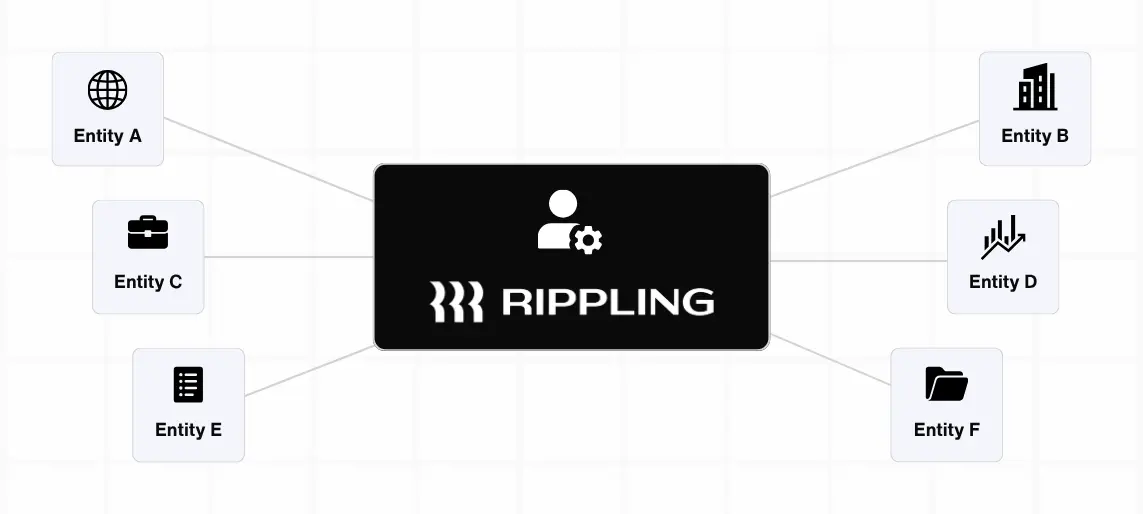
Managing one company is hard enough. Managing two, three, or five, each with its own payroll, compliance requirements, and employee base, is a different challenge entirely. If your business has grown into multiple legal entities, whether through acquisitions, international expansion, or intentional structure, you already know the pain of trying to keep everything in sync across disconnected systems.
Rippling was built for exactly this kind of complexity. But setting it up correctly for a multi-entity environment takes more than flipping a switch. Here is what you need to know before you start.
How Does Rippling Handle Multi-Entity Setup?
Rippling is built around a unified workforce platform, which means it is designed to manage employees across multiple companies, locations, and legal entities from a single interface. Instead of logging into separate systems for each entity, your HR, payroll, and IT operations live in one place, with the ability to segment data, permissions, and workflows by entity.
Keeping those systems aligned requires data to flow consistently between them, especially across entities. This is where two-way integration becomes essential: What Is Rippling Two-Way Integration?
In a Rippling multi entity setup, each legal entity operates as its own distinct unit. Employees are assigned to their respective entities, payroll runs separately per entity to meet local tax and compliance requirements, and benefits can be configured differently depending on the entity. At the same time, administrators get a consolidated view across all entities, so you are not piecing together reports from five different places just to understand your total headcount or labor costs.
This structure matters because multi-entity companies face unique compliance exposure. What is required for a W-2 employee in Texas is different from what applies to an employee in Germany or Canada. Rippling handles those distinctions at the entity level while keeping your overall people operations centralized. That combination of local compliance and global visibility is what makes the platform genuinely useful for growing companies.
The configuration work, however, is real. Getting entities mapped correctly, setting up the right permission structures, and ensuring payroll flows are aligned to each entity takes careful planning. Rushing that setup is one of the most common reasons companies end up with data integrity problems down the road.
In many cases, those issues stem from how employee records are identified across systems. Learn more: Why Your Rippling Integration Keeps Breaking.
How to Automate Payroll Across Multiple Regions
Payroll automation across multiple regions starts with clean data. Before Rippling can run payroll reliably for a team spread across different states, countries, or legal entities, every employee record needs to be correctly classified, assigned to the right entity, and mapped to the appropriate pay schedule and tax jurisdiction.
Once that foundation is in place, Rippling can automate a significant portion of the payroll process. Tax calculations update based on employee location. Pay schedules run on their own cadence per entity. Compliance filings are handled within the platform for supported jurisdictions. Time and attendance data flows directly into payroll without manual entry.
For international payroll, Rippling Global is the piece that extends automation beyond the US. It supports employer of record services in countries where you do not have a local entity, and direct payroll in countries where you do. That flexibility is important for companies that are growing internationally but are not yet ready to set up legal entities in every market they operate in.
The automation only holds up when the underlying configuration is accurate. If cost centers are misaligned, if employees are assigned to the wrong entity, or if pay rules are set up inconsistently, the automation surfaces those errors at the worst possible time, usually on a payroll deadline. That is why the setup phase deserves as much attention as the ongoing operations.
These issues often show up as payroll sync failures when data doesn’t flow correctly between systems. Here’s how to prevent that: How to Prevent Payroll Sync Failures in Rippling.
How Many Integrations Does Rippling Have?
Rippling connects with over 600 third-party applications. That covers accounting systems, ERPs, ATS platforms, expense management tools, IT provisioning software, project management tools, and more. QuickBooks, NetSuite, Salesforce, Slack, Greenhouse, Okta, and Workato are all in the mix.
For multi-entity companies, the integrations that matter most are the ones that connect Rippling to your general ledger and ERP. When payroll data flows automatically into your accounting system, broken out by entity and cost center, your finance team gets the visibility they need without manual exports or reconciliation work.
More integrations also means more configuration decisions. In a multi-entity environment, you need to think carefully about which entities connect to which systems, how data is mapped across each connection, and what happens when an employee transfers between entities. These are not technical problems so much as operational ones, and they are worth solving before your integration goes live rather than after.
Rippling vs. Multiplier: What Is the Difference?
Rippling and Multiplier both support international hiring and payroll, but they are built for different situations.
Multiplier is primarily an employer of record platform. It is designed to help companies hire employees in countries where they do not have a legal entity, by acting as the legal employer on their behalf. If you need to bring on a few contractors or employees in a new market quickly and without setting up a local entity, Multiplier makes that process relatively straightforward.
Rippling is a full workforce management platform that includes global payroll and employer of record capabilities, but extends well beyond them. It handles HR, IT, finance, and operations across your entire employee base, domestically and internationally. For companies that already have or are building out multiple legal entities, Rippling gives you the infrastructure to manage everything in one place, not just the international hiring piece.
The practical difference comes down to scope. If your primary need is hiring internationally without a local entity, Multiplier does that job well. If your need is managing a complex, multi-entity workforce across payroll, HR, compliance, and systems, Rippling is the more complete solution.
Getting Your Rippling Multi-Entity Setup Right
A Rippling multi entity setup done well is a real operational advantage. Your HR and payroll teams work from one platform. Your finance team gets consolidated reporting without manual assembly. Your compliance exposure is managed at the entity level without creating separate workflows for every jurisdiction.
Done poorly, it creates the exact problems you were trying to solve: data fragmentation, payroll errors, and compliance gaps that only show up at the worst possible time.
At PARA Consulting, we specialize in Rippling implementations for complex, multi-entity organizations. If you are planning a rollout or trying to fix a setup that is not working the way it should, we can help. Book a free consultation with PARA to talk through your structure.