Ramp Integrations & Automation: 5 Common Ramp Integration Mistakes
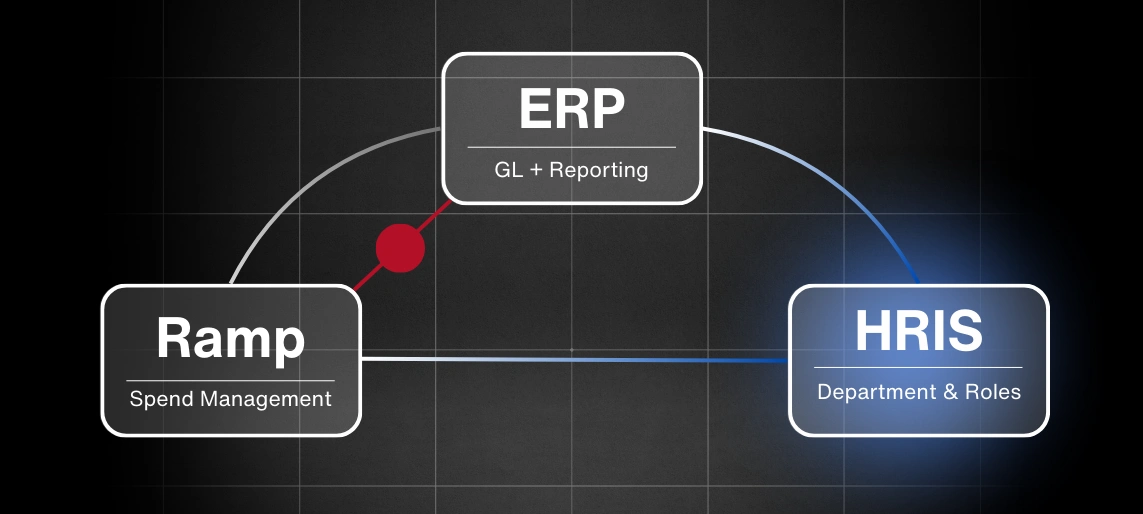
Ramp integration connects your corporate card platform directly to your ERP, HRIS, and accounting systems. When done right, it transforms how your finance team works. But without proper planning and expertise, implementations can create more problems than they solve.
This guide walks through the five most frequent Ramp integration mistakes that cause sync delays, mapping errors, and reporting gaps. You'll learn how to audit before you integrate, map vendors and departments correctly, configure approval workflows that match your governance requirements, set the right sync frequency for your reporting cycles, and build reports that executives actually use.
Whether you're planning a Ramp rollout or fixing an existing setup, this article shows you how to avoid the pitfalls that turn automation into extra work.
Ramp gives your team a real shot at closing faster, reporting with confidence, and actually cutting down on manual work.
The key is making sure the integration is set up to support those goals from day one.
But here's the thing: even a small mistake early on can snowball into ongoing problems that drive your team up the wall.
The most common ones show up fast:
- Transactions that land in the wrong accounts
- Data that syncs too slowly to be useful
- Reports that lack the right level of detail for decision-making
Ramp itself is a strong platform. The problem isn't the tool.
It's that the integration often isn't planned and configured with enough care.
When mapping, workflows, and reporting requirements get overlooked, you end up with confusion and a whole lot of extra work nobody signed up for.
The good news? These mistakes are totally preventable with the right guidance.
Let's walk through the five issues we see most often with Ramp integration and how to dodge them before they become headaches.
What is Ramp integration?
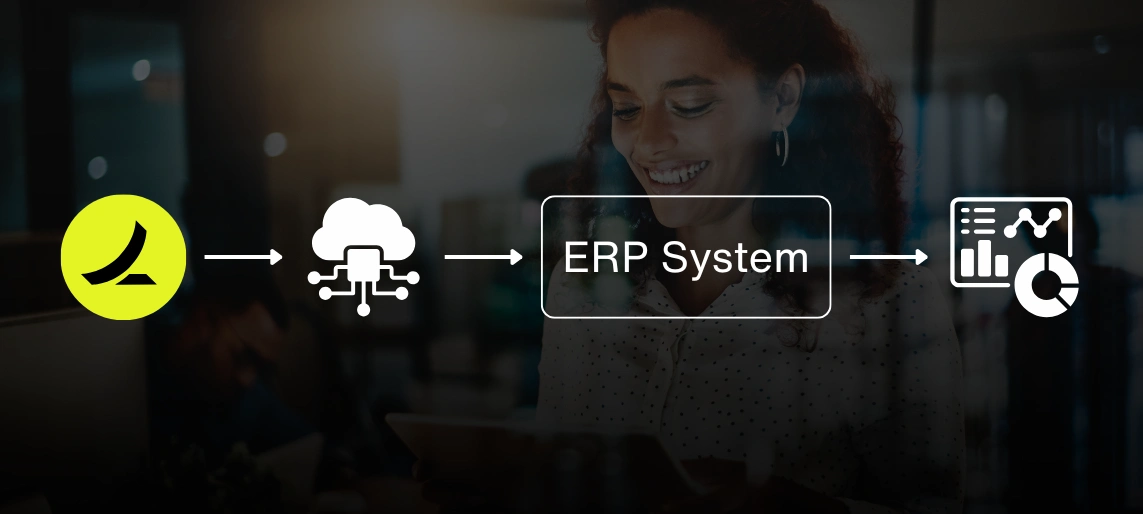
Ramp integration is the technical connection between Ramp's corporate card and spend management platform and your existing financial systems.
Think of it as the bridge between Ramp and everything else your finance team lives in: your ERP (like NetSuite, Odoo, or QuickBooks), your HRIS (such as Rippling), and your reporting tools.
When it's configured correctly, Ramp integration automates the flow of transaction data, employee information, approval workflows, and financial reporting between systems.
Instead of manually exporting expenses from Ramp and importing them into your general ledger (we know, nobody misses that), the integration handles synchronization automatically.
The integration typically covers:
- Transaction syncing from Ramp to your ERP
- Vendor and category mapping
- Department and location tagging
- Approval workflow routing
- GL account mapping
- Real-time or scheduled data refresh
What happens when Ramp integration isn't set up properly?
A Ramp integration should save your team time, not create new headaches.
Without proper planning and configuration, you can run into problems that compound over time.
Data duplication
Transactions get copied across systems in ways that need manual cleanup.
You'll see the same expense show up multiple times, often in different accounts. Someone on your team has to track down and delete duplicates by hand.
It's busywork that defeats the whole point of automation.
API sync delays
Outdated numbers slow down decision-making.
When sync frequency isn't aligned with your reporting cycles, your managers are stuck reviewing yesterday's data while trying to make today's decisions.
This gets especially painful during month-end close when every hour counts.
Reporting gaps
Missing fields or incomplete data force your team right back to spreadsheets.
The whole point of integration is to eliminate manual exports. But when key dimensions like department, location, or project codes don't sync properly, finance ends up building parallel reports in Excel.
You know you're in trouble when people trust the spreadsheet more than the system.
Your finance team feels the frustration immediately. And your executives start questioning the numbers they're using to make decisions.
Once that trust is gone, it's really hard to get back.
What are the most common Ramp integration mistakes?
1. Skipping a pre-integration audit
Teams often move way too quickly.
They're excited to get Ramp up and running, so they connect it without taking the time to review:
- Approval flows
- Chart of accounts structure
- ERP configurations
- Department hierarchies
- Vendor master data
We get it. There's pressure to launch.
But skipping this step is like building a house without checking if the foundation is level.
What happens:
Categories and departments don't align between systems. That kicks off months of cleanup and rework.
You end up with expenses tagged to departments that don't exist in your ERP. Or vendor names that don't match your AP records.
It's a mess that could've been avoided with a few days of upfront planning.
2. Mapping vendors and departments incorrectly
Ramp depends on accurate mapping.
The following must be aligned with your ERP:
- Vendors
- Expense categories
- Departments
- Locations
- Merchant rules
Here's where things get tricky.
Ramp uses merchant names exactly as they appear on card transactions. Your ERP likely uses standardized vendor names.
So if "Amazon Web Services" in Ramp doesn't map to "AWS Inc." in NetSuite, those transactions won't sync to the right vendor record.
Multiply that across dozens or hundreds of vendors, and you've got a real problem.
What happens:
Expenses land in the wrong accounts. That throws off your budgets and makes reports unreliable.
Department-level reporting breaks down completely when half your transactions are tagged to "Unassigned" or "General."
Nobody can make good decisions when the data's a coin flip.
3. Overlooking approval workflows
It's not enough to just turn on automation and hope for the best.
Approval chains need to actually reflect how your company handles:
- Governance requirements
- Compliance controls
- Segregation of duties
- Spending authority limits
If your company requires VP approval for expenses over $5,000, that rule needs to live in Ramp. Not just in your employee handbook.
If certain expense categories require additional compliance sign-off (hello, client entertainment), those workflows need to be configured before transactions start flowing through the system.
What happens:
Approvals either stall in Ramp for weeks or bypass key controls altogether.
You'll end up with expenses stuck in pending status that nobody knows how to clear. Or worse, expenses that auto-approve when they absolutely shouldn't.
Both scenarios create bottlenecks and compliance risks that keep your controller up at night.
4. Not testing sync frequency
Default sync settings almost never match the actual pace of your business.
Teams frequently fail to think through:
- The timing of reporting cycles (daily, weekly, monthly close)
- The frequency of transactions
- The speed managers expect data to refresh
- API rate limits and throttling
Some companies sync once daily at midnight. Others need near-real-time updates.
If your team expects to review current spend at 2 PM and your sync runs at 11 PM, you've got a mismatch that's going to cause friction every single day.
What happens:
Your finance managers end up reviewing data that's already outdated. That slows down close and messes with decisions.
Budget holders can't track spending in real time. Which defeats the whole purpose of giving them visibility in the first place.
You might as well be reading last week's weather forecast.
5. Ignoring reporting requirements upfront
Reporting needs should be crystal clear from the start.
When you skip this conversation, you end up with:
- Generic reports that don't meet executive needs
- Gaps in granularity (no ability to filter by vendor, department, or project)
- Extra manual exports and spreadsheets to fill in the blanks
- Inconsistent categorization that makes month-over-month comparisons useless
Your team might need spend visibility by department and vendor.
Your controller might need transaction-level detail for reconciliation.
Your department heads might need budget vs. actual by category.
If those requirements aren't mapped into the integration from day one, you're stuck building workarounds later.
What happens:
Your executives lose visibility. The value of automation doesn't fully land.
Finance ends up maintaining two systems: the integrated one nobody trusts and the spreadsheet-based one they actually use for decisions.
What ERP systems does Ramp integrate with?
Ramp integrates with most major ERP and accounting platforms, including:
- NetSuite
- Odoo
- QuickBooks (Online and Desktop)
- Xero
- Sage Intacct
- Microsoft Dynamics 365
Ramp also connects with HRIS systems like Rippling, which is honestly a game-changer.
It lets employee data (departments, managers, cost centers) sync automatically and keeps approval workflows current as your org chart changes.
No more manually updating department assignments every time someone gets promoted or switches teams.
Ramp integrates with SAP, but not natively.
You won't find a pre-built integration the way you would with NetSuite or QuickBooks. SAP integration typically requires custom API work or a middleware platform to handle data mapping and sync.
Translation: it's doable, but it's not plug-and-play.
The same applies to Oracle.
Oracle ERP integration is possible but usually requires custom development or a third-party integration tool to connect Ramp's API with Oracle's modules.
For both SAP and Oracle, the integration process is more involved and really benefits from working with a systems integration partner who understands both platforms inside and out.
How do you set up Ramp integration correctly?
Avoiding these mistakes starts with process, not technology.
The strongest Ramp integrations we've seen follow a few straightforward steps.
Audit first
Review your workflows, hierarchies, and charts of accounts before you touch any settings.
Take the time to understand how expenses flow today, even if that process is completely broken.
Document approval chains, reconciliation steps, and reporting requirements.
Yes, it feels slow. But it's way faster than fixing a botched integration six months in.
Map precisely
Make sure vendors, categories, and rules align across Ramp and your ERP.
Build a mapping table that shows exactly how each Ramp merchant maps to each ERP vendor, and how each Ramp category maps to each GL account.
This isn't glamorous work, but it's the difference between clean data and a dumpster fire.
Match governance
Configure Ramp approvals to actually reflect your company policies.
If certain spend requires your sign-off, build that into the workflow. If you have spending limits by role or department, enforce those in Ramp.
Don't rely on people remembering the rules. Make the system enforce them.
Set the right sync frequency
Align data refresh rates with your reporting and close cycles.
If you're closing books on the 5th business day of each month, make sure transactions sync daily leading up to close, not once a week.
Match the tool to the rhythm of your business, not the other way around.
Test in stages
Validate with a small group before rolling out company-wide.
Pick one department or one category of spend, run it through the full cycle, and confirm that transactions appear correctly in your ERP before you expand.
Catch the issues when they're small and fixable.
Document flows
Give your finance and IT teams a shared reference for how systems connect.
When someone leaves or when you're troubleshooting an issue six months later, documentation keeps you from having to reverse-engineer your own setup.
Future you will be very grateful.
When these steps are followed, Ramp integration creates the kind of reliable automation and financial clarity that actually makes your job easier.
You Might Be Wondering
What is the integration of a Ramp function?
Ramp integration connects Ramp with your ERP, HRIS, or accounting systems so data stays in sync and workflows run automatically.
Does Ramp integrate with NetSuite?
Yes. Ramp integrates with NetSuite to sync expenses, approvals, and reporting.
Does Ramp do AP automation?
Yes. Ramp automates accounts payable tasks like invoice capture, approvals, and payments.
Conclusion
Ramp can genuinely transform your finance operations when it's integrated with the right expertise and planning.
The platform is powerful, but getting the most out of it requires understanding how it fits into your existing finance stack and configuring it to match your workflows.
If your team is preparing to roll out Ramp, or if you've already integrated and are dealing with sync delays, duplicate entries, or reporting gaps that won't go away, now's the time to get the right guidance.
At PARA, we treat Ramp integration as part of your entire finance system and work with NetSuite, Odoo, QuickBooks, and other platforms to make sure everything connects properly.
Ready to get your Ramp integration right?
If you're planning a Ramp rollout or need to fix an existing integration that's causing problems, we can help. Book a free consultation with PARA to talk through your setup.
Sources:
Bapat, D. (2023, March 28). Automating finance operations: The top 3 challenges of ERP integration. SnapLogic. Retrieved from https://www.snaplogic.com/blog/the-top-3-challenges-of-erp-integration
Baker Tilly. (2024, August 6). Streamlining ERP integration with document understanding. Baker Tilly. Retrieved from https://www.bakertilly.com/insights/erp-integration-document-understanding