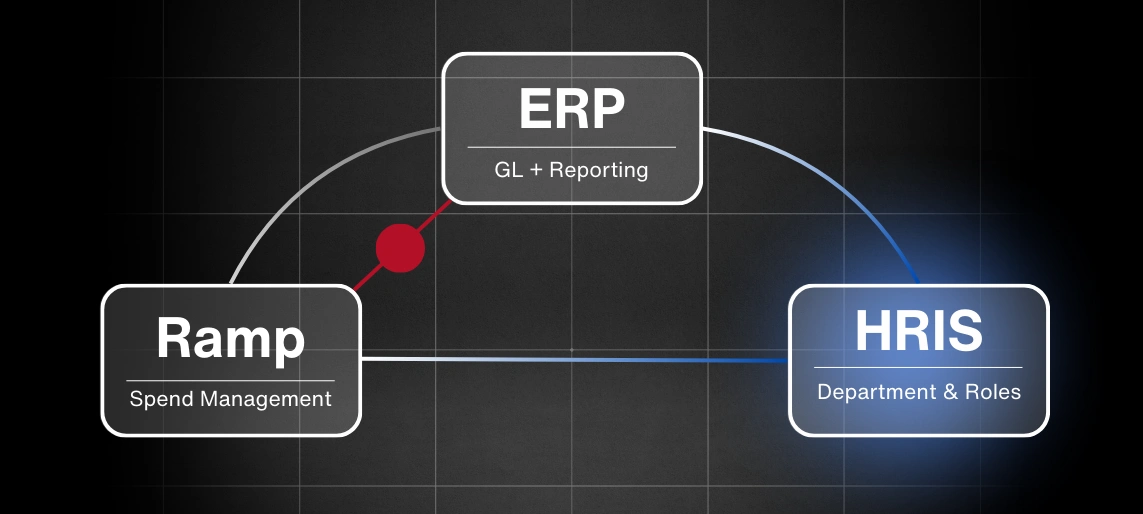
Ramp Integrations & Automation: Ramp Quality Assurance Checklist for Integrations
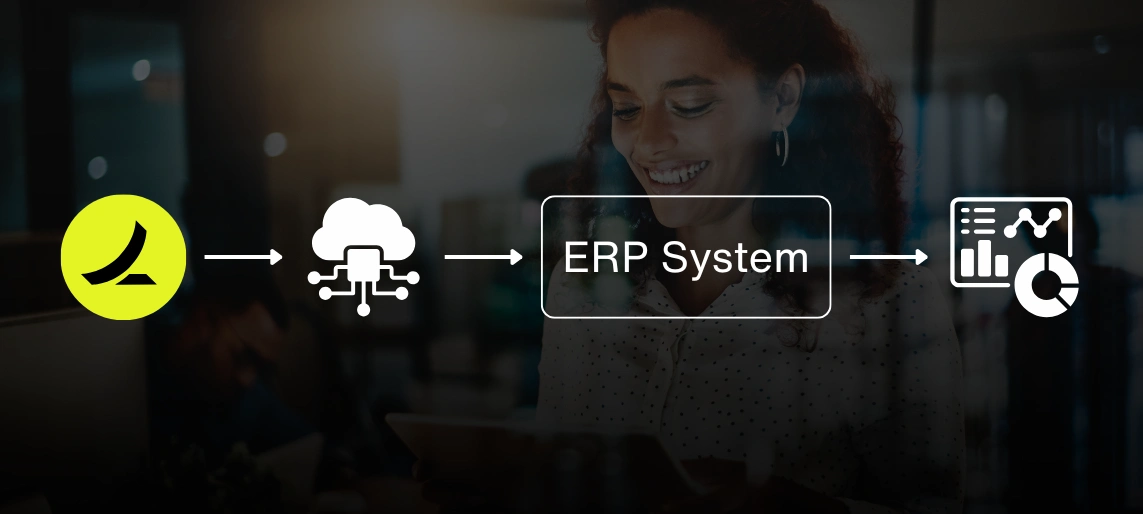
Ramp integrations are designed to help your finance team move faster, reduce manual work, and consolidate reporting into a single source of truth. To make those outcomes stick, integrations require a structured quality assurance (QA) process.
QA is more than a last-minute check. It's the process that confirms every sync, workflow, and report behaves as expected before you go live. For finance operations managers, ERP administrators, and IT teams, a robust Ramp integration checklist ensures accurate data, compliant workflows, and reliable reporting.
Ramp Integration QA Checklist
This technical validation framework addresses critical integration points that frequently cause production failures.
Each checkpoint validates specific system behaviors. This prevents common issues like data synchronization errors, approval workflow breakdowns, and reporting discrepancies.
1. End-to-End Data Synchronization Testing
- Execute comprehensive transaction flow validation from Ramp APIs through ERP data ingestion pipelines
- Validate field-level mapping accuracy across general ledger (GL) accounts, cost center hierarchies, and custom attribute fields
- Test edge case scenarios including refund processing, multi-entity transaction routing, and expense allocation splits
- Verify data transformation logic for currency conversion, tax calculation, and GL account mapping
Why this matters: Enterprise financial systems require precise data mapping specifications. Field-level discrepancies can lead to reconciliation issues and audit trail gaps.
2. Workflow and Approval Chain Validation
- Validate approval routing logic against organizational authority matrices and delegation hierarchies
- Test notification delivery mechanisms, escalation timers, and rejection handling protocols
- Confirm approval state persistence across system boundaries into ERP approval workflows
- Validate conditional approval logic based on transaction amounts, categories, and department codes
Why this matters: Automated approval workflows help enforce financial controls and compliance requirements. Logic failures can compromise governance frameworks and regulatory adherence.
3. Role-Based Access Control and Security Validation
- Audit user permission matrices for administrators, approval authorities, and audit personnel
- Implement least-privilege access principles with granular permission validation
- Enable audit logging for configuration changes and transaction modifications
- Test single sign-on (SSO) integration and multi-factor authentication (MFA) enforcement
Why this matters: Proper access governance helps prevent unauthorized financial modifications and supports internal control frameworks required for financial data integrity.
4. Error Logging and System Monitoring
- Validate integration error logging with contextual metadata including transaction identifiers and failure classifications
- Configure alerting systems for IT operations and finance teams during system failures
- Test retry mechanisms and graceful degradation scenarios
- Implement error recovery procedures with manual override capabilities
Why this matters: Proactive error monitoring helps prevent minor system issues from escalating into financial reporting failures or compliance violations.
5. Timing and Sync Frequency
- Validate scheduled synchronization jobs including hourly batch processing and real-time API calls
- Test system performance under peak transaction loads and concurrent user scenarios
- Configure sync frequency based on financial reporting cycles and operational requirements
- Monitor API rate limiting and implement appropriate throttling mechanisms
Why this matters: Finance managers need current data for decision-making processes. Synchronization delays can impact monthly close procedures and executive reporting accuracy.
6. Financial Reporting and Granularity Validation
- Verify multi-dimensional reporting capabilities across vendor hierarchies, department structures, and project codes
- Validate data consistency between Ramp source data and ERP drill-down functionality
- Test report aggregation logic for daily operational reports, monthly financial statements, and annual consolidations
- Confirm custom field mapping for industry-specific reporting requirements
Why this matters: Executive reporting requires both summary-level insights and detailed transaction visibility. Reporting gaps often lead to manual data extraction and spreadsheet reconciliation.
7. Exception Handling
- Simulate transaction failure scenarios and validate error correction workflows
- Test complex edge cases including foreign currency processing, partial approval states, and data validation failures
- Validate manual override procedures and administrative correction capabilities
Why this matters: Exception handling defines system resilience under operational stress. Predictable error management helps prevent data integrity issues and supports audit compliance.
8. Scalability and Volume Testing
- Execute load testing protocols with realistic transaction volumes and user concurrency
- Validate multi-entity processing capabilities and inter-company transaction handling
- Test system behavior under high-volume scenarios including month-end processing peaks
- Monitor resource utilization and identify potential bottlenecks before production deployment
Why this matters: Integration performance under development conditions may not reflect production workloads. Scalability testing helps prevent system degradation during critical business periods.
QA Timeline and Sequencing
Plan for 2-4 weeks of QA activities, depending on integration complexity:
- Week 1: Data sync testing and workflow validation
- Week 2: Security, error handling, and reporting validation
- Week 3: Performance testing and exception handling
- Week 4: Final validation and documentation
Critical path items like data sync testing should be completed before approval workflow testing, since workflows depend on accurate data flow.
Common Ramp Integration Mistakes
Looking to understand where QA fits into the bigger picture? Read our guide on 5 Common Ramp Integration Mistakes to see the most frequent pitfalls teams encounter and how to avoid them.
Final words
Ramp integrations should give you reliable automation and accurate processes, not extra cleanup. A clear QA process ensures that every sync, approval, and report performs as expected before launch.
Consolidating your systems is one of the smartest moves you can make to simplify reporting. Bringing Ramp together with an integrated CRM and ERP, like NetSuite or HubSpot, puts all your data in one place. It’s the difference between chasing numbers across spreadsheets and having the answers ready when you need them.
Contact us to get your Ramp setup right from day one.
You Might Be Wondering
What systems does Ramp integrate with?
Ramp integrates with ERP systems like NetSuite, Odoo, QuickBooks, and SAP, as well as HRIS tools such as Workday and Rippling.
What is an integration checklist?
An integration checklist is a structured list of tests and validations used to confirm that systems like Ramp and an ERP or HRIS connect correctly before go-live.
Does Ramp integrate with Workday?
Yes. Ramp integrates with Workday to sync reimbursements, employee data, and accounting information.
Does Ramp integrate with SAP?
Yes. Ramp supports integration with SAP, typically through CSV imports or APIs that pass transactions into SAP systems.
Sources
- Ramp. (n.d.). Integrations. Ramp. Retrieved September 24, 2025, from https://ramp.com/integrations
- Ramp. (n.d.). Workday integration. Ramp. Retrieved September 24, 2025, from https://ramp.com/integrations/workday
- Ramp. (n.d.). SAP integration. Ramp. Retrieved September 24, 2025, from https://ramp.com/integrations/sap
- SnapLogic. (2023, March 28). Automating finance operations: The top 3 challenges of ERP integration. Retrieved from https://www.snaplogic.com/blog/the-top-3-challenges-of-erp-integration
- Baker Tilly. (2024, August 6). Streamlining ERP integration with document understanding. Retrieved from https://www.bakertilly.com/insights/erp-integration-document-understanding