Is HubSpot Really Free? A Clear Answer for your Business
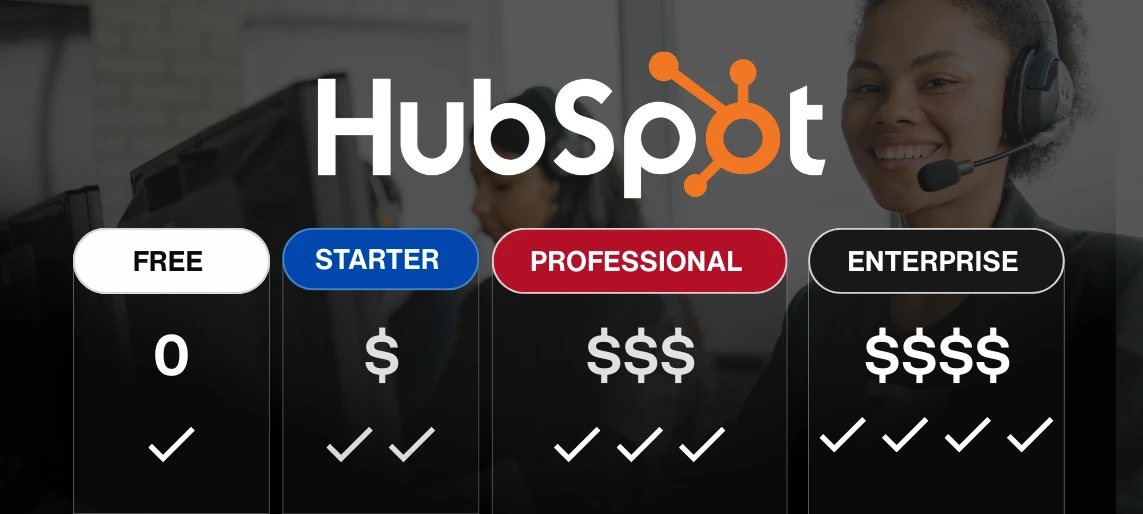
Everyone knows HubSpot is free, but when you're scaling a business, "free" is just where you start. The real question isn't whether HubSpot costs money. It's which tier you actually need and when upgrading makes financial sense. This guide breaks down HubSpot's pricing across all tiers (Free, Starter, Professional, Enterprise), what you get at each level, and the business scenarios where each plan delivers ROI. You'll learn when free stops being enough, which features justify Professional's $800/month price tag, and whether Enterprise's $3,600/month cost makes sense for your business. If you're evaluating HubSpot for a growing company or trying to figure out which tier fits your needs without overpaying, this is your roadmap.
Which HubSpot tier do you actually need?
HubSpot markets itself as free. And technically, it is. You can manage contacts, track deals, and send emails without paying a dollar.
But if you're running a business with 50+ employees, multiple departments, and systems that need to talk to each other, the free tier isn't going to handle it for long.
The real question isn't whether HubSpot is free. It's which tier gives you what you need without paying for features you won't use.
Let's break down what each HubSpot plan actually includes, what it costs, and when upgrading makes sense for your business.
What does HubSpot's free CRM include?
HubSpot's free tier gives you:
- Contact management (up to 1 million contacts)
- Email marketing (limited to 2,000 sends per month)
- Basic reporting and dashboards
- Deal and task tracking
- Live chat and forms
- Mobile app access
For a small team just getting started, this covers the basics. You can track customers, manage deals, and communicate without paying anything.
Where the free tier falls short for growing businesses:
- As soon as you need to automate workflows, customize reporting, or integrate with other business systems, you hit walls:
- No workflow automation (can't automatically route leads, trigger follow-ups, or assign tasks based on criteria)
- Limited reporting (basic dashboards only, no custom reports that match how your executives think about the business)
- No advanced integrations (connecting to ERP systems, accounting platforms, or other business-critical tools requires paid tiers)
- Basic user permissions (can't set granular access controls for different teams or departments)
If your CRM needs to do more than track contacts and deals, you'll need to upgrade.
What does each HubSpot paid plan cost?
Starter Plan: $20/month (per seat)
HubSpot's Starter plan adds basic automation and removes some of the free tier's limits.
What you get:
- Simple automation workflows (single-step, basic triggers)
- Email scheduling and templates
- Conversation routing for sales
- Basic custom reporting
- Higher email send limits
Who this is for:
Small teams (10-20 people) that need light automation but don't have complex workflows or integration requirements.
Where it falls short:
Automation is limited to simple, single-step workflows. Reporting is better than free but still not fully customizable. Integrations with enterprise systems still require workarounds or third-party tools.
If you're trying to integrate HubSpot with NetSuite or build multi-step automation workflows, Starter won't solve those problems.
What this means for your team:
Starter helps you move beyond completely manual processes, but you'll still hit friction points when workflows get complex or when you need data to flow between HubSpot and other systems.
Professional Plan: Starts around $800/month
This is where HubSpot starts making sense for mid-market businesses.
What you get:
- Advanced automation (multi-step workflows with branching logic and conditional triggers)
- Custom reporting and analytics
- Predictive lead scoring
- Advanced integration capabilities
- A/B testing for emails and landing pages
- Campaign reporting across channels
- Omnichannel marketing automation
Who this is for:
Businesses with 50-200 employees that need:
- Lead routing automation based on territory, product, or qualification criteria
- Custom reports that match how your CFO or VP of Sales wants to see data
- Integration with your ERP, accounting system, or other business platforms
- Multi-step nurture campaigns and sophisticated marketing automation
What this unlocks for your business:
Professional solves the problems that make free and Starter frustrating. Your team can automate repetitive work, build reports that executives trust, and connect HubSpot to the rest of your tech stack.
This is the tier most growing businesses land on when they need HubSpot to support real scale.
Enterprise Plan: Starts at $3,600/month
Enterprise is built for businesses with complex needs, multiple business units, and high transaction volumes.
What you get:
- Everything in Professional, plus:
- Hierarchical team management (multiple business units with different permissions and reporting)
- Advanced custom objects (build data models beyond contacts, companies, and deals)
- Predictive forecasting and revenue analytics
- Single sign-on (SSO) and advanced security controls
- Adaptive testing and AI-powered optimization
- Custom event reporting and behavioral triggers
- Dedicated support and onboarding services
Who this is for:
- Businesses with 200+ employees that need:
- Multi-entity or multi-brand management
- Advanced security and compliance requirements (SOC 2, GDPR, HIPAA)
- Custom data models that go beyond standard CRM objects
- Predictive analytics and AI-driven insights
- Dedicated account support and SLAs
When the investment pays off:
If you're managing multiple brands, operating in regulated industries, or need predictive forecasting to model revenue, Enterprise gives you the infrastructure to support it.
For most mid-market businesses, Professional handles what you need. Enterprise becomes relevant when organizational complexity goes up significantly.
HubSpot pricing and features comparison
How do you know which tier your business needs?
Start with the problems you're trying to solve, not the features list.
Stay on Free if:
- You have fewer than 20 employees
- Your CRM needs are basic (contact management, deal tracking, simple email)
- You don't need automation or custom reporting yet
- You're not integrating with other business systems
Upgrade to Starter if:
- You need basic automation (simple lead assignment, follow-up reminders)
- You want better email capabilities and higher send limits
- Your team is small but growing (10-30 employees)
- You don't need complex integrations yet
Upgrade to Professional if:
- You need multi-step automation workflows
- Your executives need custom reports and dashboards
- You're integrating HubSpot with your ERP, accounting system, or other platforms
- You have 50+ employees across sales, marketing, and customer success
- Lead routing and territory management are getting complex
- You need predictive lead scoring to prioritize deals
Upgrade to Enterprise if:
- You're managing multiple business units or brands
- You need advanced security and compliance features
- Your data model is complex (custom objects beyond standard CRM)
- You want predictive forecasting and AI-driven insights
- You have 200+ employees with complex permission requirements
What's the cost of staying on free too long?
Free sounds great until you calculate what it's costing you in other ways.
Lost productivity:
Your team spends hours every week on manual work that could be automated. That's time they could spend closing deals, supporting customers, or launching campaigns.
Unreliable data:
Without automation to enforce data hygiene, your CRM gets messy. Duplicate contacts, incomplete records, inconsistent tagging. Your reports become unreliable because nobody trusts the data.
Integration workarounds:
You need HubSpot to connect with your ERP or accounting system. The free tier doesn't support it, so you're either paying for third-party middleware or doing manual exports and imports. Both cost more than upgrading.
Missed opportunities:
Leads slip through the cracks because routing isn't automated. Follow-ups don't happen on time because there's no workflow to trigger them. These aren't line items, but they're costing you revenue.
What's the potential ROI of upgrading to a paid HubSpot plan?
The right tier pays for itself when the value it delivers exceeds the cost.
Professional typically delivers ROI through:
- Time saved on automation (5-10 hours per week per team member adds up fast)
- Better conversion rates from predictive lead scoring and automated nurture
- Faster close cycles from integrated data and better reporting
- Reduced errors from manual data entry between systems
Enterprise delivers additional ROI through:
- Multi-entity management without duplicating infrastructure
- Advanced forecasting that improves resource planning
- Security and compliance that reduces risk exposure
- Dedicated support that reduces implementation and troubleshooting time
The calculation is straightforward: if Professional costs $10,000/year but saves your team 10 hours a week and helps you close 3 more deals, it's paid for itself.
You Might Be Wondering
Is HubSpot pricing negotiable?
Sometimes. HubSpot has standard list pricing, but there's often flexibility depending on contract length, number of seats, and timing. Annual contracts typically get better rates than monthly.
Do you need all the hubs (Marketing, Sales, Service) at once?
No. Start with the hub you need most (usually Sales or Marketing), then add others as you grow. You don't have to buy the full suite upfront.
How does HubSpot pricing compare to Salesforce?
HubSpot is typically easier to implement and less expensive out of the box. Salesforce offers more customization but requires more technical expertise and often costs more once you factor in implementation and ongoing admin.
Ready to figure out which HubSpot tier fits your business?
HubSpot's free tier is a solid starting point, but growing businesses outgrow it fast. The question isn't whether to upgrade. It's which tier delivers ROI without paying for features you won't use.
We work with businesses to evaluate which HubSpot plan makes sense based on your growth trajectory, integration needs, and team structure. Whether you're implementing HubSpot for the first time or optimizing an existing setup, we help you get the configuration right.
Book a free consultation with PARA to talk through your CRM needs and figure out which HubSpot tier fits your business.
Sources:
HubSpot. (n.d.). HubSpot pricing. Retrieved from https://www.hubspot.com/pricing
HubSpot. (n.d.). HubSpot free CRM. Retrieved from https://www.hubspot.com/products/crm